

You've probably used one of those AR try-on features — held your phone up, watched a dress appear on your reflection, and thought either that's surprisingly helpful or that tells me absolutely nothing. Both reactions are correct. It depends entirely on what you were trying to figure out.
AR try-on technology has improved a lot in the past few years. It's no longer just a gimmick that slaps a flat image onto your torso. Modern tools can read body proportions reasonably well, map colour realistically onto different skin tones, and give you a genuine sense of whether a silhouette works for your frame. That's real, useful information — especially if you're deciding between a relaxed wide-leg trouser and a slim-fit one, or trying to gauge whether a cropped top will hit at the right point on your waist.
But there's a specific gap these tools haven't closed. And it's the gap that causes the most returns, the most disappointment, and the most "it looked nothing like the photo" moments.
What AR Try-On Is Actually Good At
Silhouette and proportion. This is where AR earns its keep. If you're unsure whether wide-leg trousers will overwhelm your frame or whether a boxy jacket will look intentional or just shapeless, an AR overlay can genuinely help. It maps the garment's general outline onto your body shape and gives you a proportional read that a flat product photo simply can't. (If you want to go deeper on styling wide-leg cuts specifically, this guide on wide-leg and straight-leg trousers covers how to make them look intentional rather than accidental.)
Colour on your skin tone. Seeing how a particular shade reads against your actual complexion — not a model's, yours — is one of the more underrated uses of AR try-on. A dusty mauve that looks muted on screen might pop on your skin tone, or wash you out. The overlay isn't perfect, but it's a better reference than squinting at a product swatch.
Length and hemline placement. Where a midi skirt hits on your leg, whether a tunic covers what you want it to cover, whether a cropped hoodie lands above or at your natural waist — AR can show you all of this with reasonable accuracy, assuming the tool has good body-mapping.
Layering logic. Some apps let you stack pieces — a jacket over a shirt, a scarf over a dress — which helps when you're building an outfit rather than buying a single item.
The One Thing It Still Can't Show You
Drape and texture. Full stop.
This is the gap that matters most, and it's the reason shoppers get burned most often on three specific categories: printed trousers, cotton kurtas, and fluid dresses.
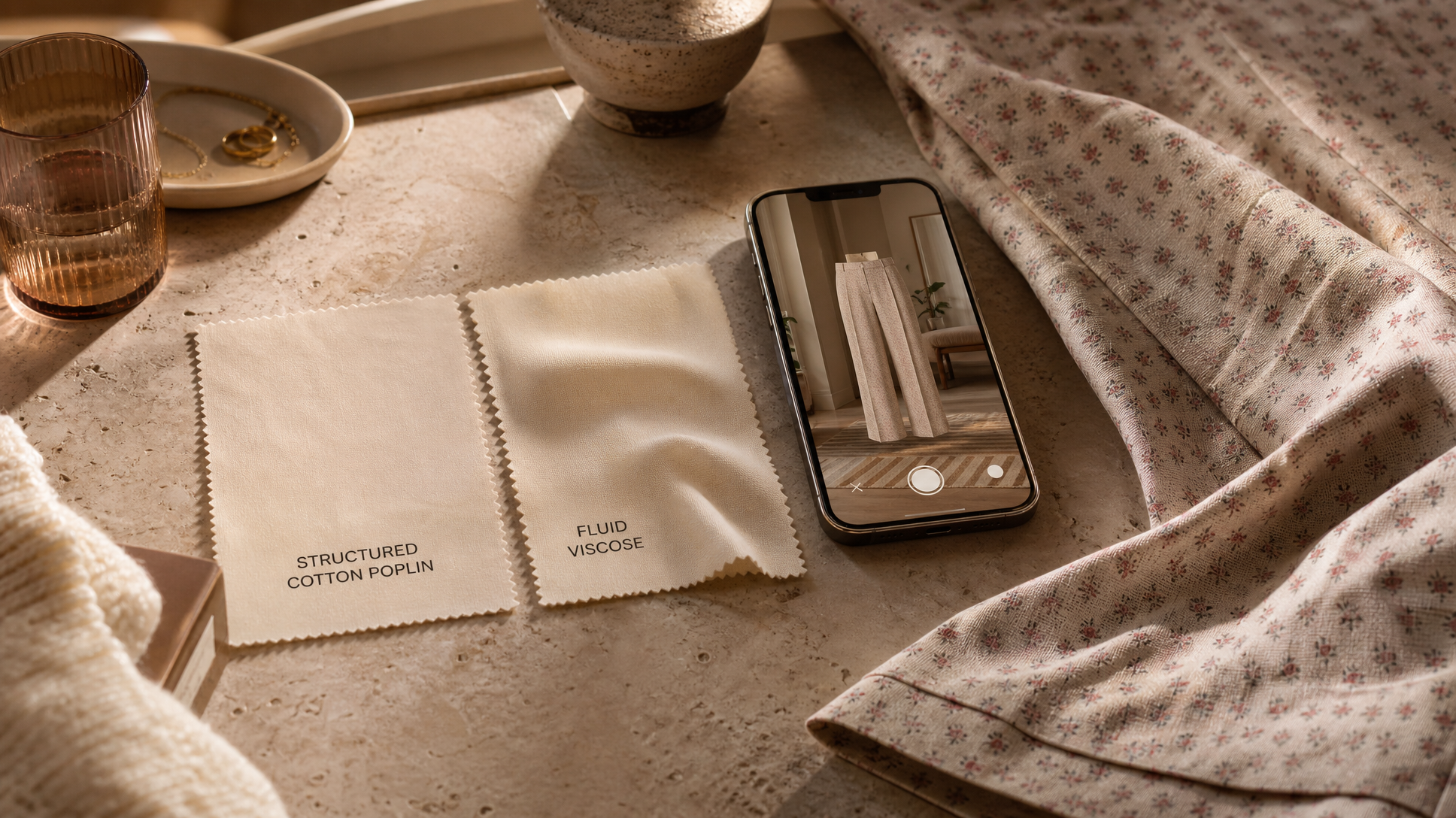
Here's why. A garment's drape — how it falls, how it moves, how much structure it holds — is determined by its fabric weight, weave, and finish. A printed trouser in a stiff cotton canvas will hold a clean line at the thigh and break crisply at the ankle. The same print in a viscose blend will cling slightly, flow more, and behave completely differently on the body. AR try-on renders the shape of the garment, not the behavior of the fabric. So both trousers look identical in the overlay — but they'll feel and read completely differently when you're actually wearing them.
Cotton kurtas are another classic example. A structured cotton poplin kurta will sit away from the body, hold its embroidery neatly, and photograph almost the same way it wears. A soft cotton voile kurta will drape close to the body, move with you, and feel entirely different — even if the silhouette in an AR preview looks the same. If you've ever ordered an ethnic piece that looked crisp in the photo and arrived feeling limp (or vice versa), this is exactly what happened.
Fluid mini dresses are the third category where AR misleads most. The difference between a dress that skims and one that clings is entirely in the fabric — and AR can't render that distinction.
How to Fill the Gap Before You Commit
AR try-on is a starting point, not a finishing line. Use it to narrow your options — rule out the silhouettes that clearly don't work, confirm the colours you're drawn to. Then, before you buy, do this:
Read the fabric description carefully. Not just "100% cotton" — look for descriptors like poplin, voile, lawn, twill, or jersey. These tell you how the fabric is woven and how it will behave. A good product page will give you this. If it doesn't, that's information too.
Look at multiple model shots, not just the hero image. The hero shot is usually styled to show the garment at its best angle. A side shot, a movement shot, or a close-up will show you how the fabric falls and whether it holds structure. If the skirt panels are separating and flowing in the photo, the fabric is fluid. If the hem is holding a clean line, it's structured.
Check the model's height and measurements if listed. This helps you calibrate length. A midi dress on a 5'10" model will hit differently on a 5'4" frame — and AR try-on, while useful for proportion, often doesn't account for this as precisely as a real reference point does.
For ethnic wear specifically, pay attention to the embellishment weight. Heavy embroidery or mirror work adds structure. A lightly printed kurta in soft cotton will drape completely differently than the same silhouette in a piece with dense block printing or surface work. This is the detail that AR simply cannot communicate — and it's often the detail that determines whether a piece feels like a statement or an afterthought. For more on what to look for when buying ethnic pieces online, this breakdown of what to check before you buy ethnic wear is worth a read.
The Smarter Way to Use AR Try-On
Think of it as a filter, not a verdict. Use it to answer the question: Does this silhouette work for my body? Then use the product page — the fabric details, the model shots, the size guide — to answer the question AR can't: Will this fabric behave the way I need it to?
The shoppers who get online fashion right aren't the ones who've found a magic try-on tool. They're the ones who know which questions each tool can and can't answer.
At Wardrobecrush, product pages are built with that second question in mind — detailed fabric descriptions and real model photography so you're not left guessing on drape. Browse the full collection and shop pieces where the details actually tell you what you need to know.
Frequently Asked Questions
How accurate are AR try-on apps for clothes?
They're reasonably accurate for silhouette, proportion, and colour — modern tools have improved significantly at mapping garment outlines onto different body shapes. Where they fall short is fabric behavior: drape, weight, and texture can't be rendered by an AR overlay, so what you see may not reflect how a piece actually moves or falls when worn.
Which types of clothing are hardest to judge with AR try-on?
Fluid or draped pieces are the trickiest — think viscose dresses, soft cotton kurtas, and printed trousers in lightweight fabrics. Because AR shows shape rather than fabric behavior, two garments with the same silhouette but different fabric weights will look identical in an overlay but wear completely differently. Structured pieces like tailored blazers or stiff denim are easier to judge accurately.
What should I check on a product page that AR try-on can't tell me?
Focus on three things: the fabric composition and weave type (words like poplin, voile, jersey, or twill tell you a lot about how it will drape), multiple model shots from different angles (side and movement shots reveal how the fabric falls), and the model's height and measurements if listed, so you can calibrate length on your own frame.
Is AR try-on worth using at all, or should I skip it?
It's genuinely worth using as a first filter — especially if you're deciding between silhouettes or checking whether a colour works with your skin tone. Just don't let it be your only check. Use it to rule out obvious misses, then rely on the product page details to confirm the fabric will behave the way you need it to before you buy.